Flow vs. QuickBooks Online
Manage every entity in one place
Flow is an AI-native ERP built for multi-entity finance. Everything you need to close faster, report smarter, and scale without limits, in a platform that's flexible by design.
Trusted by Industry Leaders




Built for multi-entity
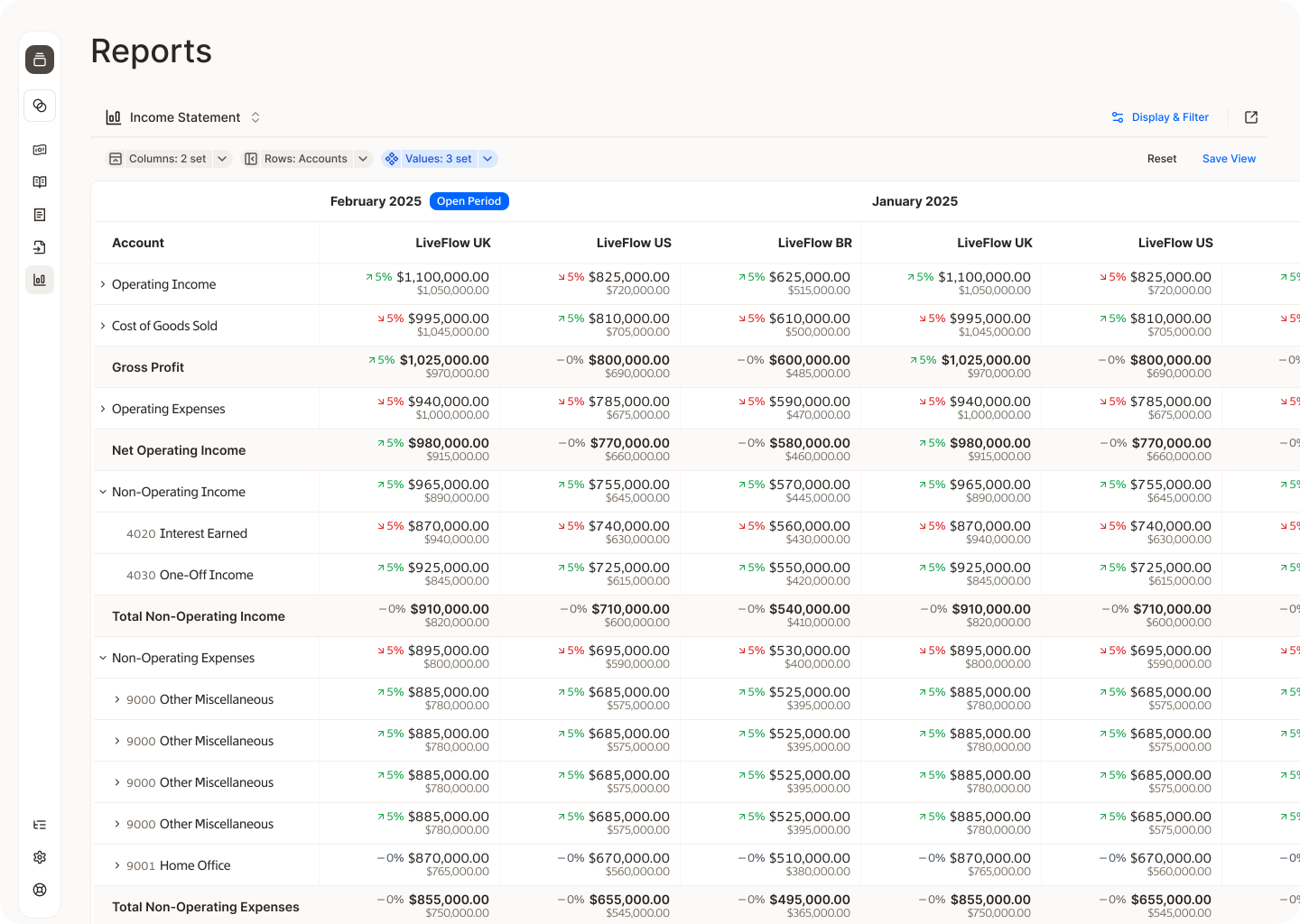
Whether you're managing 2 entities or 200, Flow was purpose-built for the complexity that multi-entity finance teams deal with every day. Get real-time visibility across your entire portfolio and drill into any entity instantly. Set rules once and let Flow handle intercompany eliminations automatically. Build consolidated reports your way, so the numbers always tell the correct story.
Handle the accounting complexity that comes with scale
Fixed assets, prepaids, and amortization schedules are a normal part of running a growing business, and Flow treats them that way. Track and depreciate assets across entities, automate prepaid amortization on a schedule, and let Flow handle the recurring entries so your balance sheet stays accurate without someone manually managing it every close.

Migrate years of data in hours
Flow's in-house implementation team handles everything without external consultants, exorbitant fees, or a year-long timeline. And unlike most ERPs that only migrate trial balances, Flow brings over your full transactional history and attachments, so you have complete context from the moment you start.
AI that accelerates workflows
Set up your rules once, and Flow takes it from there. AI agents suggest account codes, match transactions, flag outliers, and automate reconciliation — so your team spends less time on repetitive tasks and more time on analysis.

Onboarding from people who know accounting and finance
Flow's support team is made up of in-house Accounting and Finance specialists who understand your work. Whether you're navigating a complex consolidation or troubleshooting a reconciliation, the right expertise is always a message away.
Product comparison


General ledger
AP/AR Management
Comprehensive Audit Log
GAAP-compliant reporting
Role-based access and permissions
Bank feed
Closed/locked periods
Native Budgeting
Unlimited custom tags
Intercompany approval workflows
Implementation fee
Automated Intercompany transactions
Native FP&A
Native multi-entity support
Consolidated reporting
AI transaction categorization
Approval workflows
Automated variance analysis
AI-native platform
Automated Intercompany Eliminations
Partial ownership/minority interest support
Unified Journal Entries across entities
Full transactional data migration
Instant platform speed
White-glove implementation
Support from in-house finance specialists
0$
Single entity only
Limited tagging, single-entity only
Limited, requires third-party tools
Self-serve only

Can QuickBooks Online handle multiple entities?
Not natively. QuickBooks treats each entity as a completely separate account: separate logins and books, and no consolidated view. Managing multiple entities in QBO means manually exporting reports from each, combining them in spreadsheets, and reconciling intercompany transactions by hand. It works until it really doesn't.
What makes Flow different from QuickBooks for growing businesses?
Flow was purpose-built for businesses managing multiple entities. Where QuickBooks requires workarounds, third-party tools, or manual spreadsheet gymnastics for multi-entity reporting, Flow handles it natively. Intercompany transactions, eliminations, consolidated reporting, and multi-entity FP&A are all built into the platform.
How long does it take to migrate from QuickBooks to Flow?
Flow migrates all of your transactional data in minutes, and most customers are live on the platform in days.
How long does implementation on Flow actually take?
Most customers are live within a week. Flow's in-house implementation team handles the entire process, from data migration to your first close, with no third-party consultants, drawn-out timelines, or variable implementation fees.
Does Flow include FP&A, or is that a separate cost?
FP&A is included. Budgeting, forecasting, variance analysis, and reporting are all part of the platform.
Why do QuickBooks users typically outgrow it?
QuickBooks Online is built for single-entity, small business bookkeeping. As businesses add entities, take on investors, or need consolidated financial statements, they hit walls because QBO doesn’t offer native intercompany support, consolidated reporting, or multi-entity budgeting. Most teams patch the gaps with spreadsheets and third-party tools until the complexity becomes unmanageable.
What data gets migrated to Flow, and how far back can you go?
Unlike many ERPs, Flow migrates your full transactional history. There's no limit on how far back we can go, so you have complete financial context from your very first day on the platform.
Is Flow's support actually in-house?
Yes. Flow's support team is made up of in-house accounting and finance specialists. Whether you're navigating a complex consolidation or troubleshooting a reconciliation, you're talking to someone who understands what you're working on.
What does Flow's pricing include?
Everything. Multi-entity support, FP&A, AI workflows, intercompany eliminations, white-glove implementation, full transactional data migration, and ongoing specialist support are all included.
Does Flow have hidden fees or add-ons?
No. Flow doesn't have a module marketplace or tiered feature gates. What you see is what you get, without unlocking, upgrading, or paying a consultant to configure what should already work out of the box.
Do I need to hire a consultant to get started with Flow?
No. Unlike most ERP implementations, Flow doesn't require outside consultants to get you up and running. Our in-house team manages the full implementation from start to finish, and ongoing support is included.
What does Flow’s "white-glove implementation" include?
White-glove implementation means a dedicated team handles your full setup – data migration, configuration, and onboarding – so you don't have to figure it out on your own. After implementation, Flow's in-house Finance specialists are available whenever you need them to help you get the most out of the platform.
What data gets migrated to Flow, and how far back can you go?
Unlike many ERPs, Flow migrates your full transactional history. There's no limit on how far back we can go, so you have complete financial context from your very first day on the platform.