Google Sheets Formulas
others
How to Round Numbers in Google Sheets
SHARE THIS Article
In this article, you will learn how to round off decimal numbers in Google Sheets. More specifically, you will learn how to use ROUND, ROUNDUP, and ROUNDDOWN formulas in Google Sheets.
These formulas are helpful when you don’t care about decimal numbers or when you calculate or seek for the number of something which should be an integer.
How to make numbers rounded in Google Sheets
The “Round” formula helps you get rounded numbers quickly.
Type in “=ROUND(” or go to the “Insert” ➝ “Function” ➝ “Math” ➝ “ROUND”.
Then refer to a cell with the value you want to round or input the value manually for “Value” in the formula.
Finally, input a number or refer to a cell containing a number to fill “places” in the formula. This number determines to which digit or decimal the formula rounds the value.
Generic formula
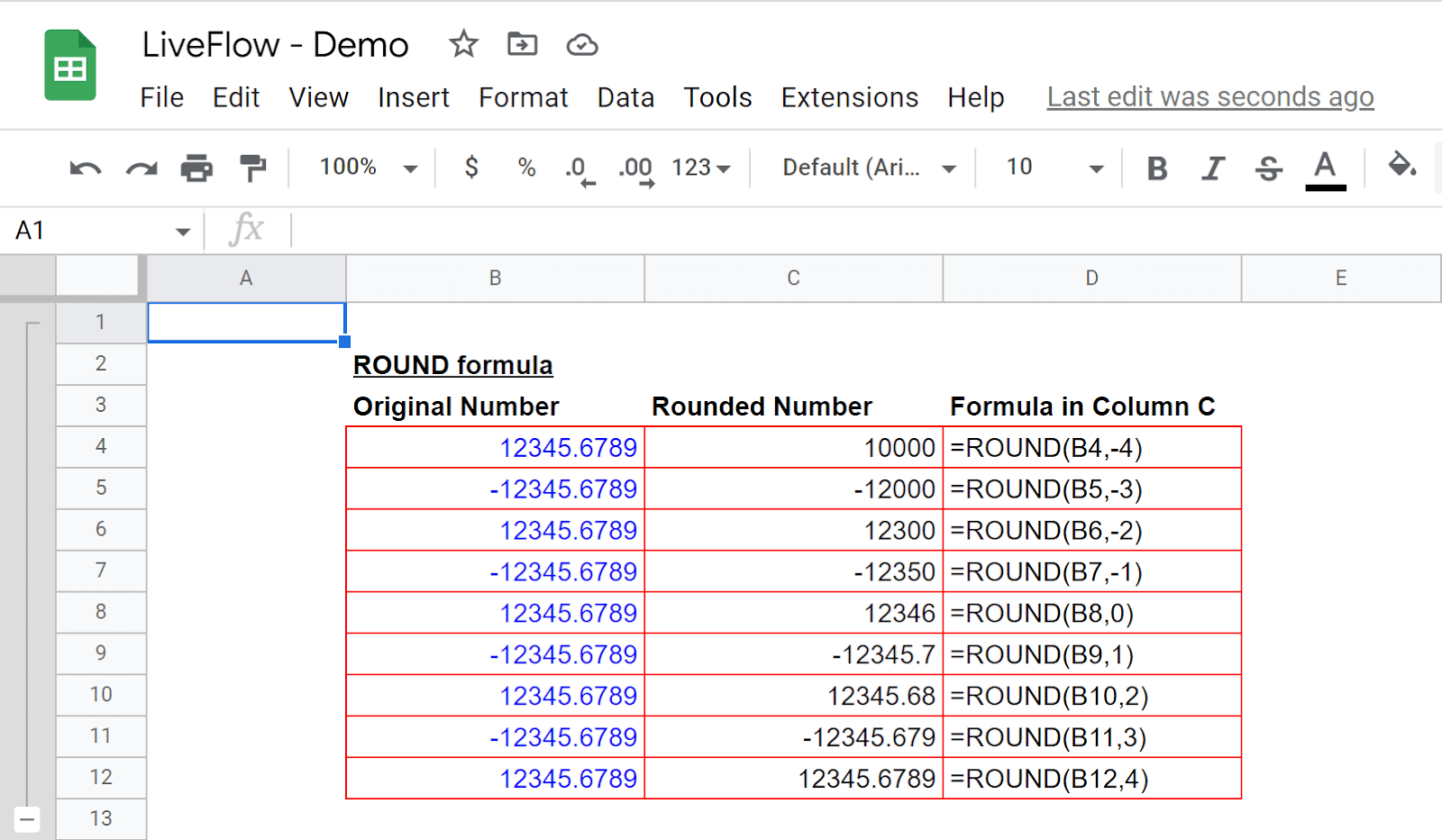
For example, let’s assume you want to round 12345.6789 to a certain decimal point. If you enter 1 as “place”, you get 12345.7. If you need an integer, you can fill “place” with 0, which lets the ROUND formula return 12345. The “value” and “place” numbers can be negative.
See the following screenshot for other examples.
Your next financial spreadsheet could be right here!
100+ spreadsheet templates, from FP&A to tax planning.
Free Spreadsheet Templates
How do you round up numbers in Google Sheets?
You can take almost the same steps as the ones you take to round numbers. In this case, you use a slightly different formula, “ROUNDUP”.
Type in “=ROUNDUP(” or go to the “Insert” ➝ “Function” ➝ “Math” ➝ “ROUNDUP”.
Then refer to a cell with the value you want to round or input the value manually for “Value” in the formula.
Finally, input a number or refer to a cell containing a number to fill “places” in the formula. This number determines to which digit or decimal the formula rounds up the value.
Generic formula
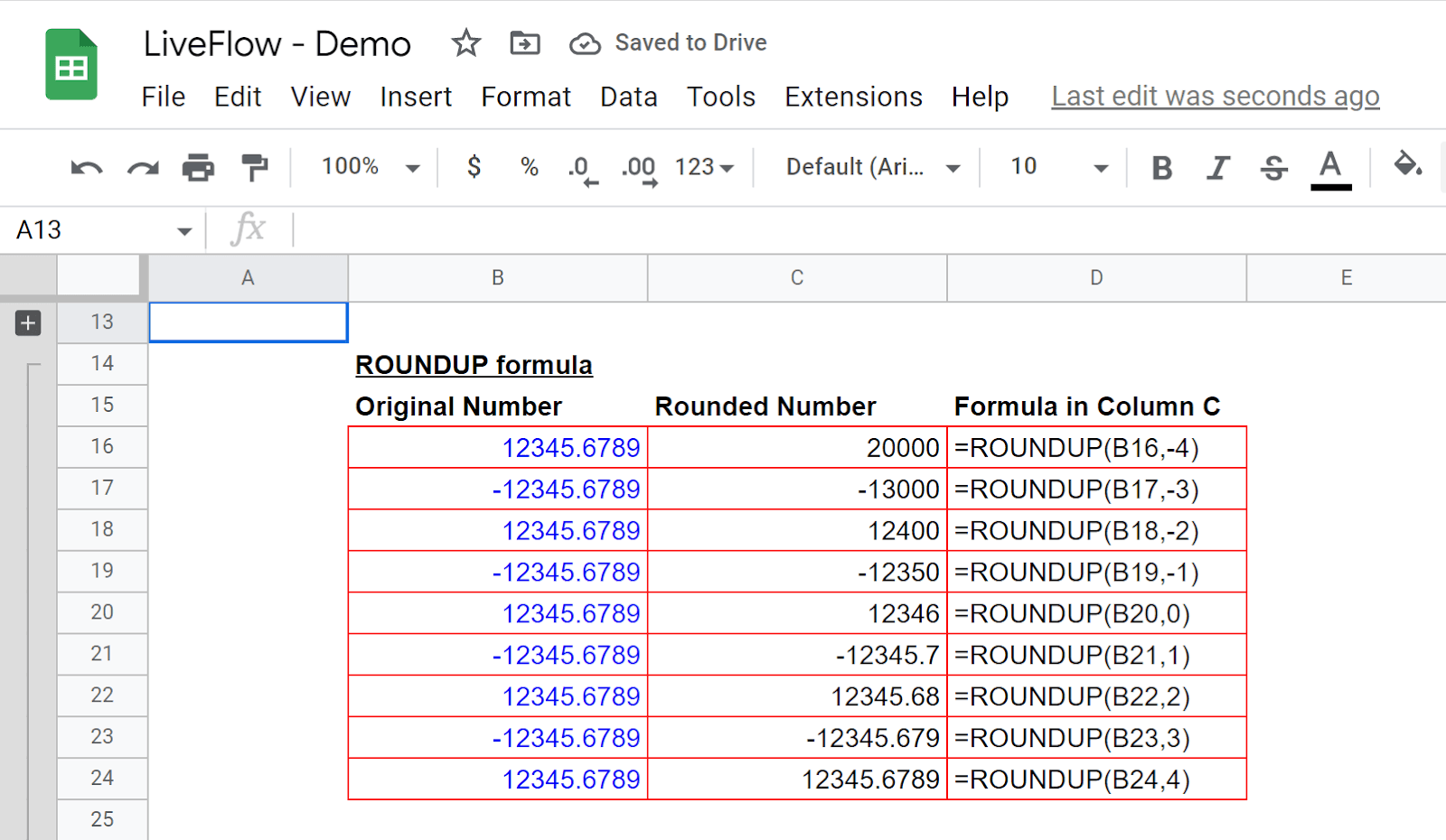
You can see examples in the screenshot below to understand how that a “Place” number works in the formula.
How do I round a number down in Google Sheets?
Keep learning. The formula that enables you to round down numbers is “ROUNDDOWN”.
Type in “=ROUNDDOWN(” or go to the “Insert” ➝ “Function” ➝ “Math” ➝ “ROUNDDOWN”.
Then refer to a cell with the value you want to round or input the value manually for “Value” in the formula.
Finally, input a number or refer to a cell containing a number to fill “places” in the formula. This number determines to which digit or decimal the function rounds down the value.
The world's top businesses trust LiveFlow to automate their financial reporting
We turn Quickbooks Online data into a live FP&A dashboard in Sheets FAST!
Book a Demo
Generic formula
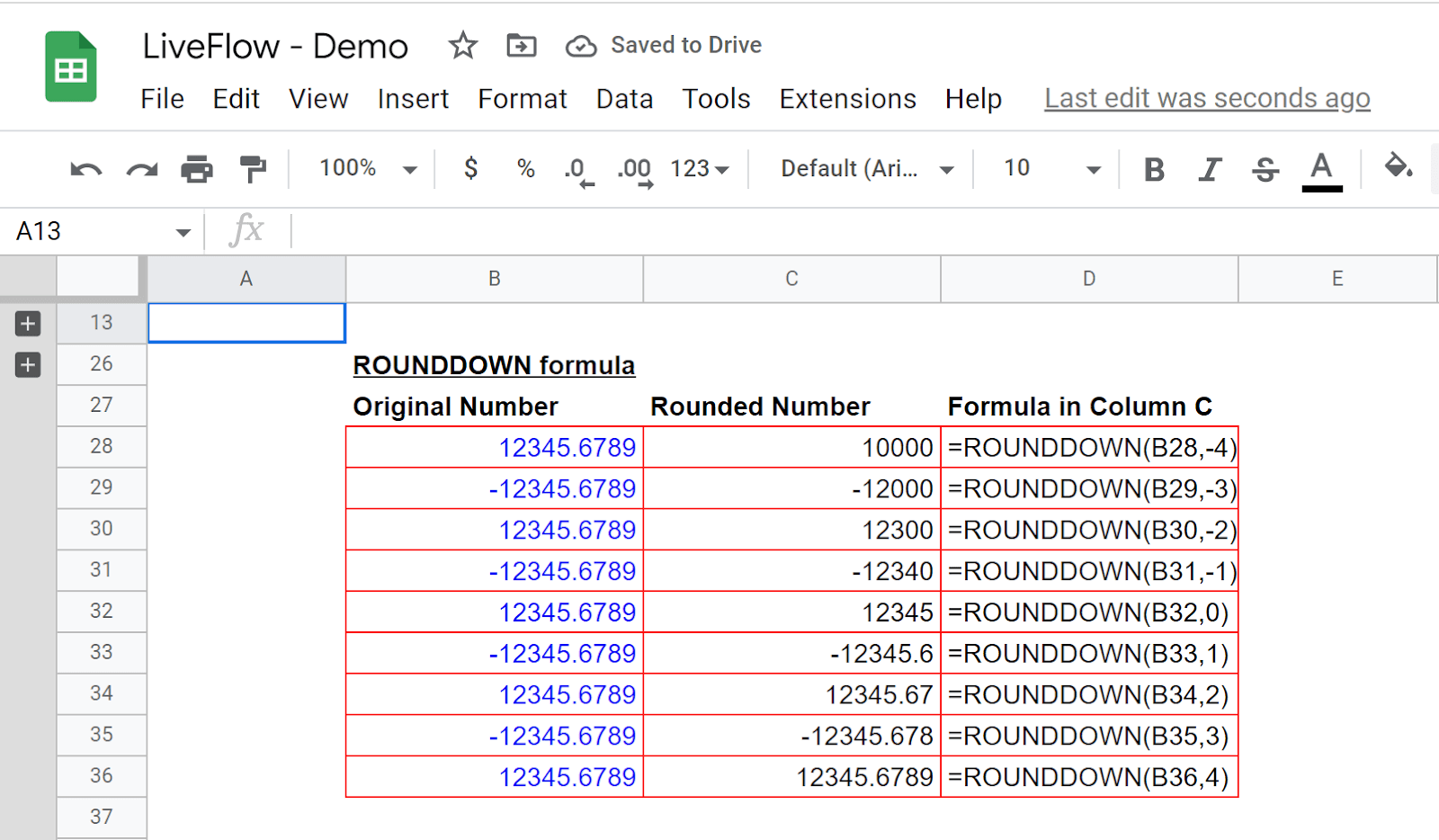
Look at the examples below to see what rounded-down numbers look like with different “place” numbers.
Supercharge your financial reporting