Google Sheets Formulas
none
How to Use BYCOL Function in Google Sheets
SHARE THIS Article
In this article, you will learn what the BYCOL formula is and how to use it.
This function is meant to be used with the LAMBDA function.
The formula groups values by columns in a selected range or an array, allows the LAMBDA function to use the grouped values as input, and returns a computed value for each column in a row.
How to insert the BYCOL formula in Google Sheets
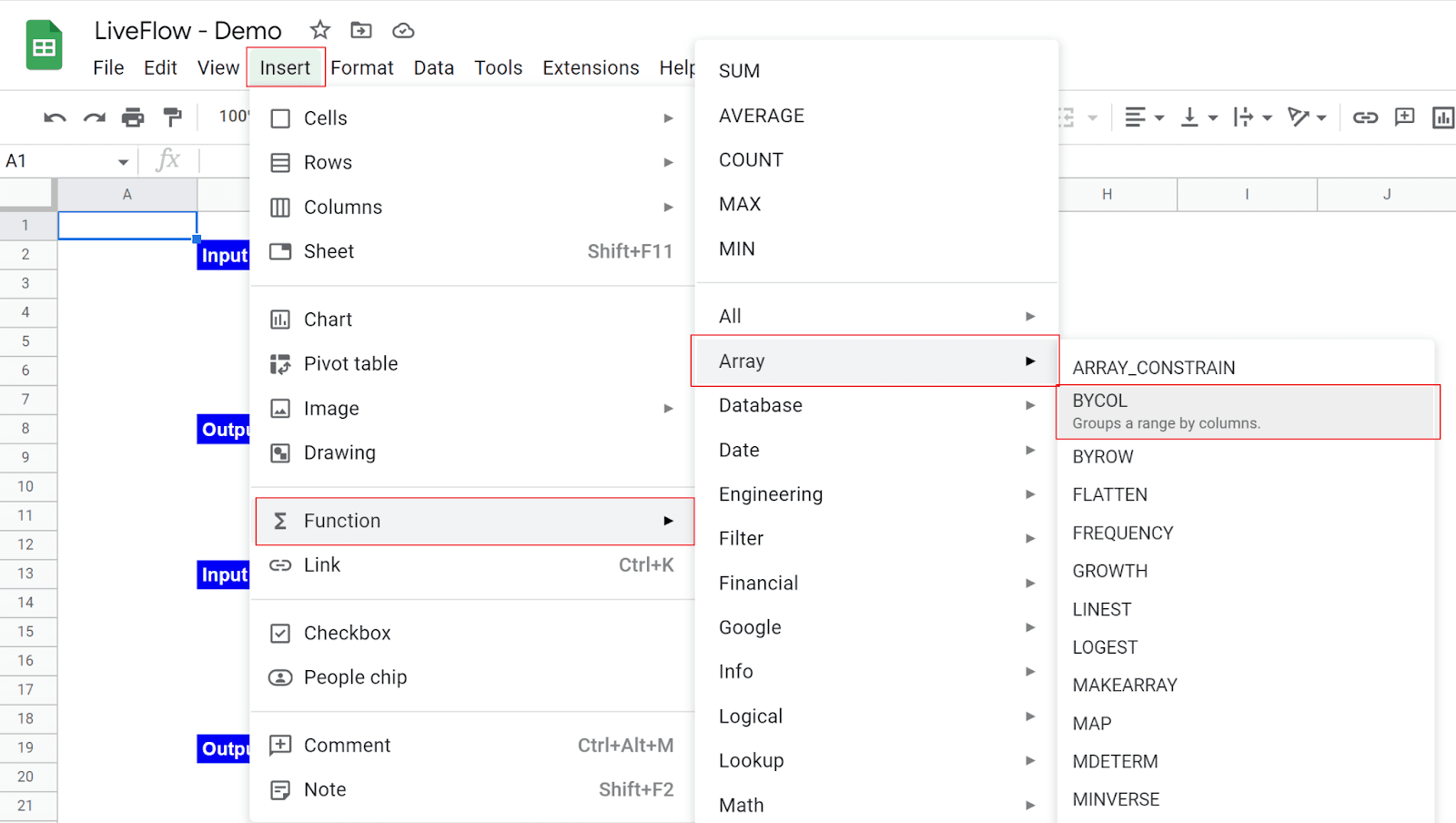
Type “=BYCOL” or go to “Insert” → “Function” → “Array” → “BYCOL”.
Select a range or an array to which you apply the LAMBDA by columns.
Enter a LAMBDA function with a placeholder and logic.
Press the “Enter” key.
Why spend hours creating spreadsheets, when we have already done the work for you?
100+ financial spreadsheet templates, all free and ready for you now.
Free Spreadsheet Templates
What is the BYCOL function in Google Sheets?
The BYCOL function is beneficial when you want to run the LAMBDA function by columns and show each calculation result in a row.
The BYCOL function automatically displays the results once you enter the appropriate formula in a cell.
So, you don’t need to copy a formula and paste it to all cells in which you want to show calculation results.
The generic syntax is as follows:
Array_or_range: This array or range is used as input in the LAMBDA function.
Lambda: Define the LAMBDA function such as LAMBDA(column, average(column)) with one argument and “formula_expression”. You can also use your Named Functions here. Note the argument corresponds to a series of values in a column. You can also use your Named Functions here.
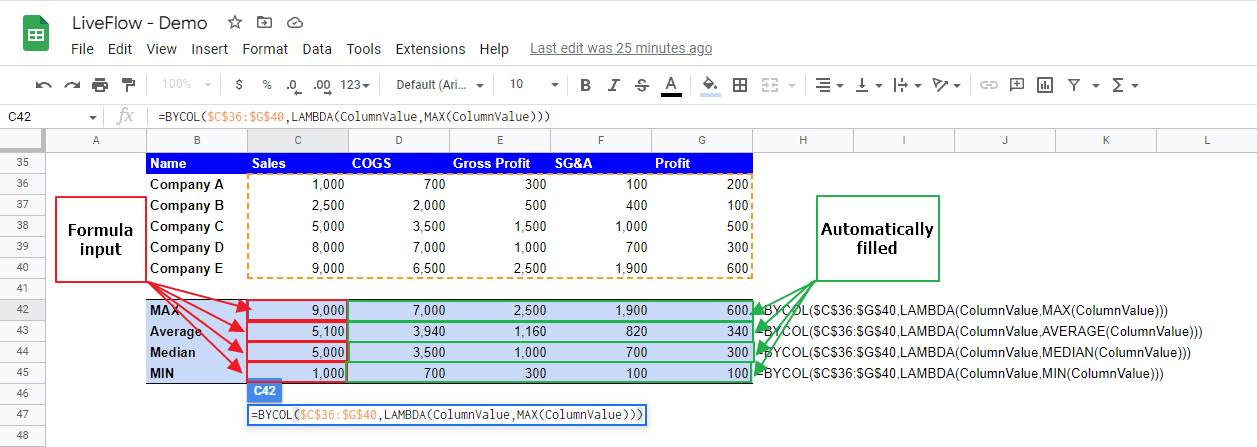
Imagine you are a finance manager. You want to do a financial analysis on competitors based on the data set in the picture. The BYCOL formula allows you to show calculation results by columns (meaning by items in the case below).
Learn how LiveFlow can save you hours a month on financial reporting!
Just 30 minutes can change the way your business operates forever.
Book a Demo
Here are the assumptions in the formula in cell C42 in the screenshot above.
Array_or_range: C36: G40
Lambda: LAMBDA(ColumnValue,MAX(ColumnValue))
Supercharge your financial reporting