Google Sheets Tips

none

How to Change Default Font in Google Sheets

SHARE THIS Article

In this article, you will learn how to change the default font setting in Google Sheets.

How to set a font as the default font in Google Sheets

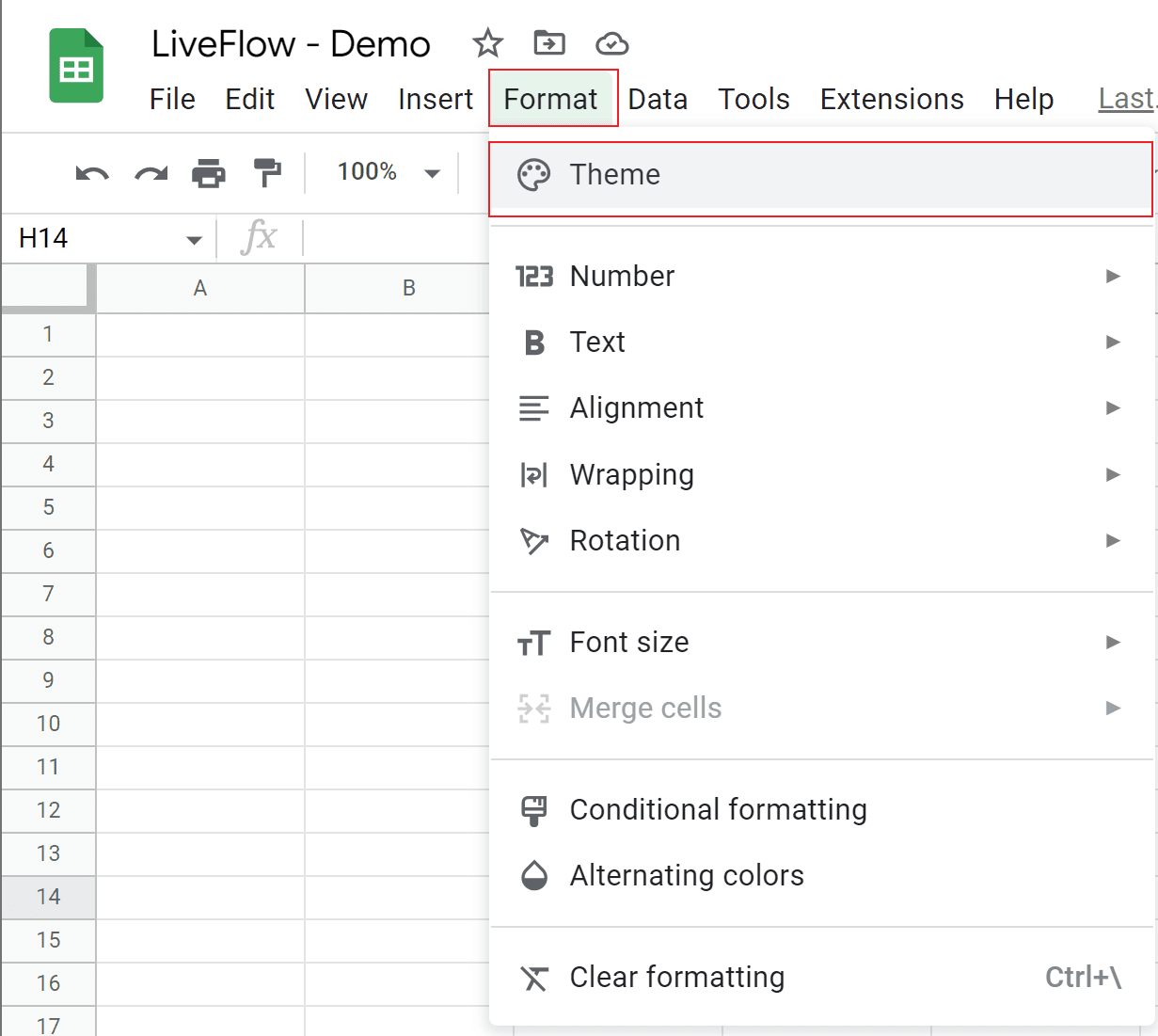
  1. Go to the “Format” tab → “Theme”. 

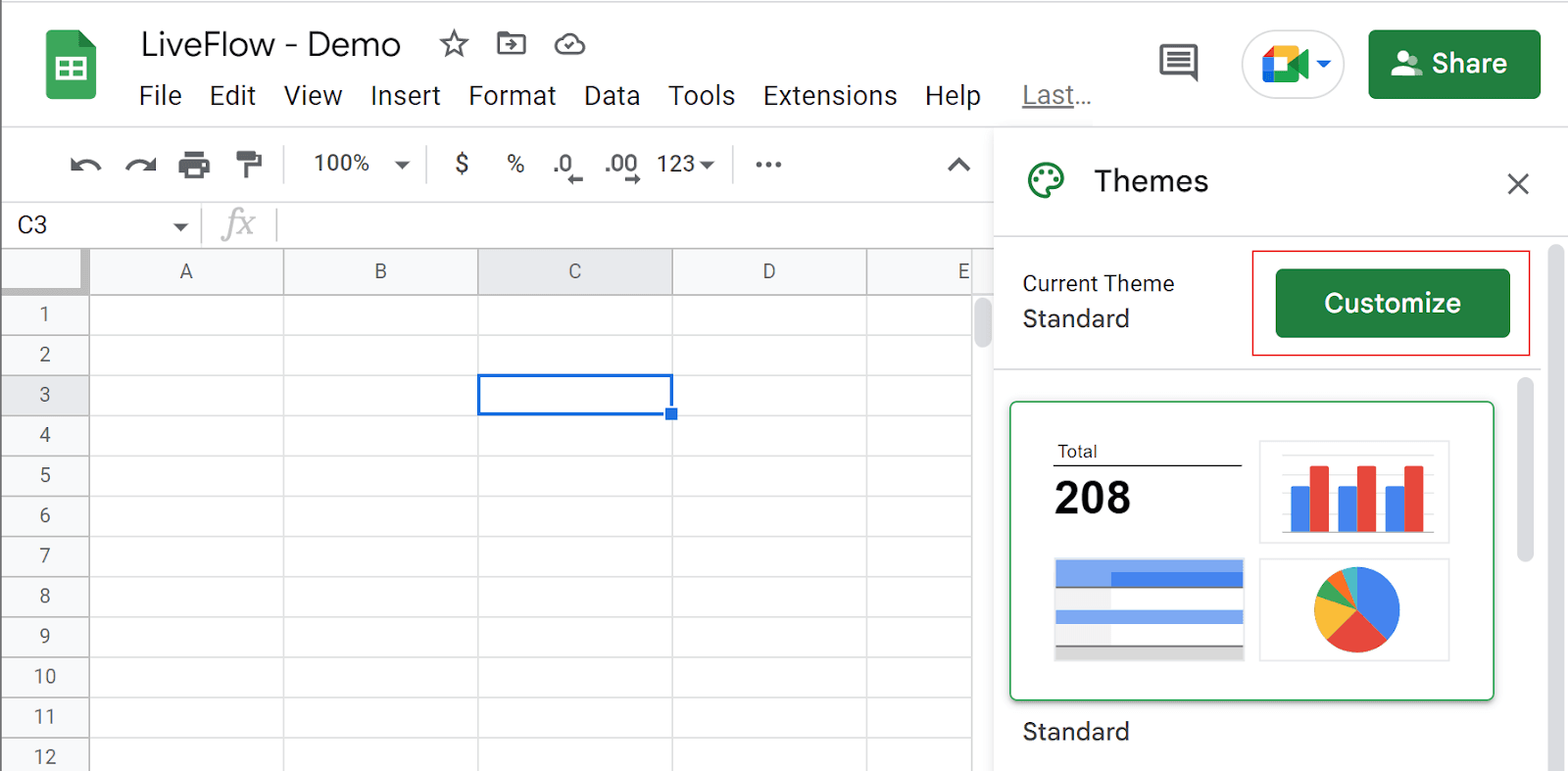
  2. The “Themes” menu shows up on the right.

  3. Click “Customize” at the top right corner of the menu.

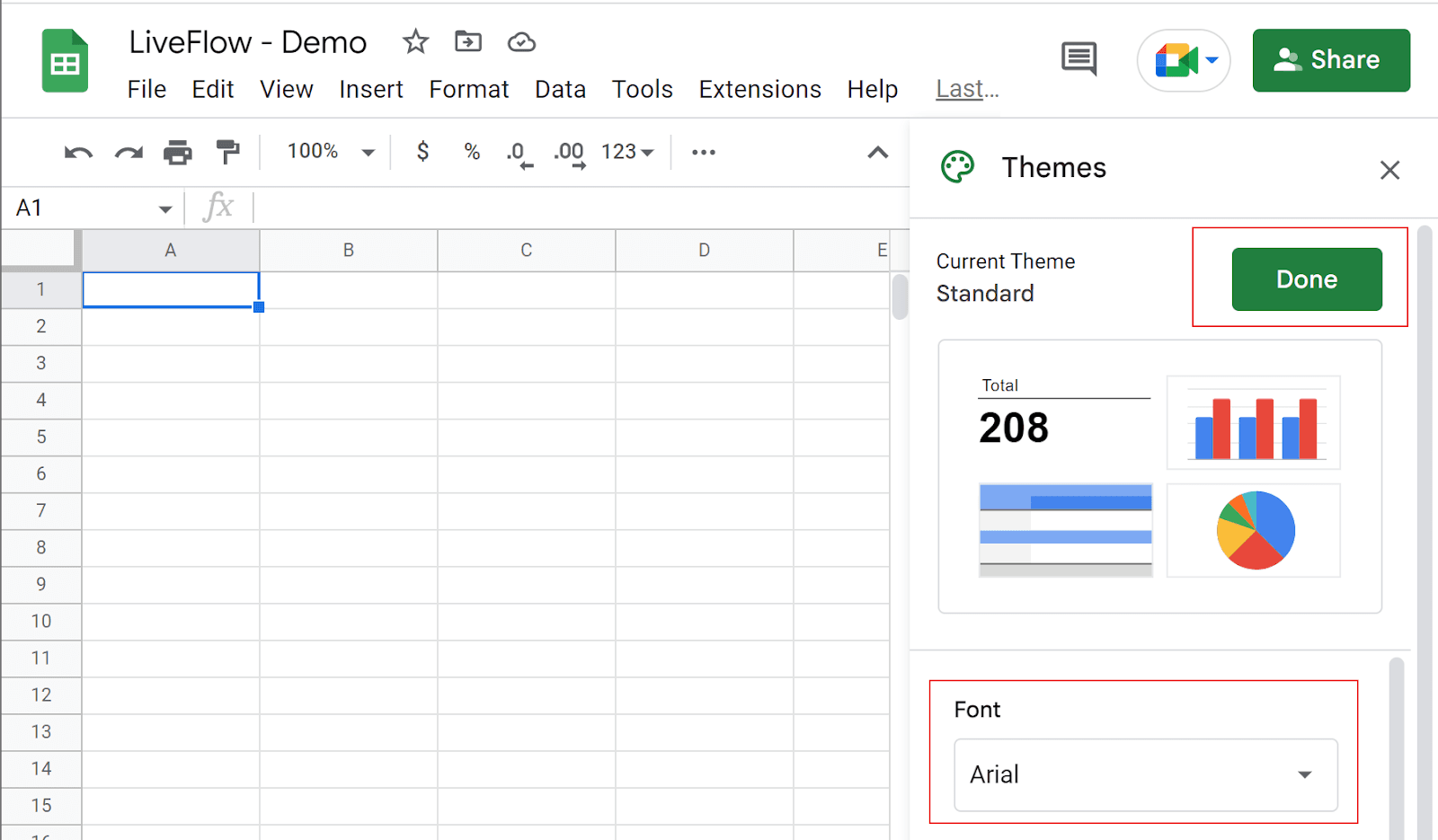
  4. Navigate to “Font” and select one font from the drop-down list

  5. Click “Done” at the top right corner.

Step 1
How to Change

Steps 2 and 3

Font in Google Sheets

Steps 4 and 5

How to Change Default Font in Google Sheets

As the effect of the change, all fonts formatted as default font change to the new font on the existing sheets, and all fonts typed in the newly added sheet after the change also reflect the replacement.

LiveFlow is an agent of Plaid Financial Ltd. (Company Number: 11103959, Firm Reference Number: 804718), an authorised payment institution regulated by the Financial Conduct Authority under the Payment Services Regulations 2017. Plaid provides you with regulated account information services through LiveFlow as its agent.

© LiveFlow. All rights reserved.

LiveFlow is an agent of Plaid Financial Ltd. (Company Number: 11103959, Firm Reference Number: 804718), an authorised payment institution regulated by the Financial Conduct Authority under the Payment Services Regulations 2017. Plaid provides you with regulated account information services through LiveFlow as its agent.

© LiveFlow. All rights reserved.

LiveFlow is an agent of Plaid Financial Ltd. (Company Number: 11103959, Firm Reference Number: 804718), an authorised payment institution regulated by the Financial Conduct Authority under the Payment Services Regulations 2017. Plaid provides you with regulated account information services through LiveFlow as its agent.

© LiveFlow. All rights reserved.

LiveFlow is an agent of Plaid Financial Ltd. (Company Number: 11103959, Firm Reference Number: 804718), an authorised payment institution regulated by the Financial Conduct Authority under the Payment Services Regulations 2017. Plaid provides you with regulated account information services through LiveFlow as its agent.

© LiveFlow. All rights reserved.