Google Sheets Formulas
none
How to Use TRANSPOSE Function in Google Sheets
SHARE THIS Article
In this article, you will learn how to utilize the TRANSPOSE formula in Google Sheets. The TRANSPOSE function is beneficial when you want to transfer a series of values in a row (or a horizontal array) to a column (or a vertical array) or vice versa.
How to use the TRANSPOSE formula in Google Sheets
Put a cursor on a cell from which you want to spread transferred values.
Type “=TRANSPOSE” or go to “Insert” → “Function” → “Array” → “TRANSPOSE”.
Select a range or an array you want to transpose.
Press the “Enter” key.
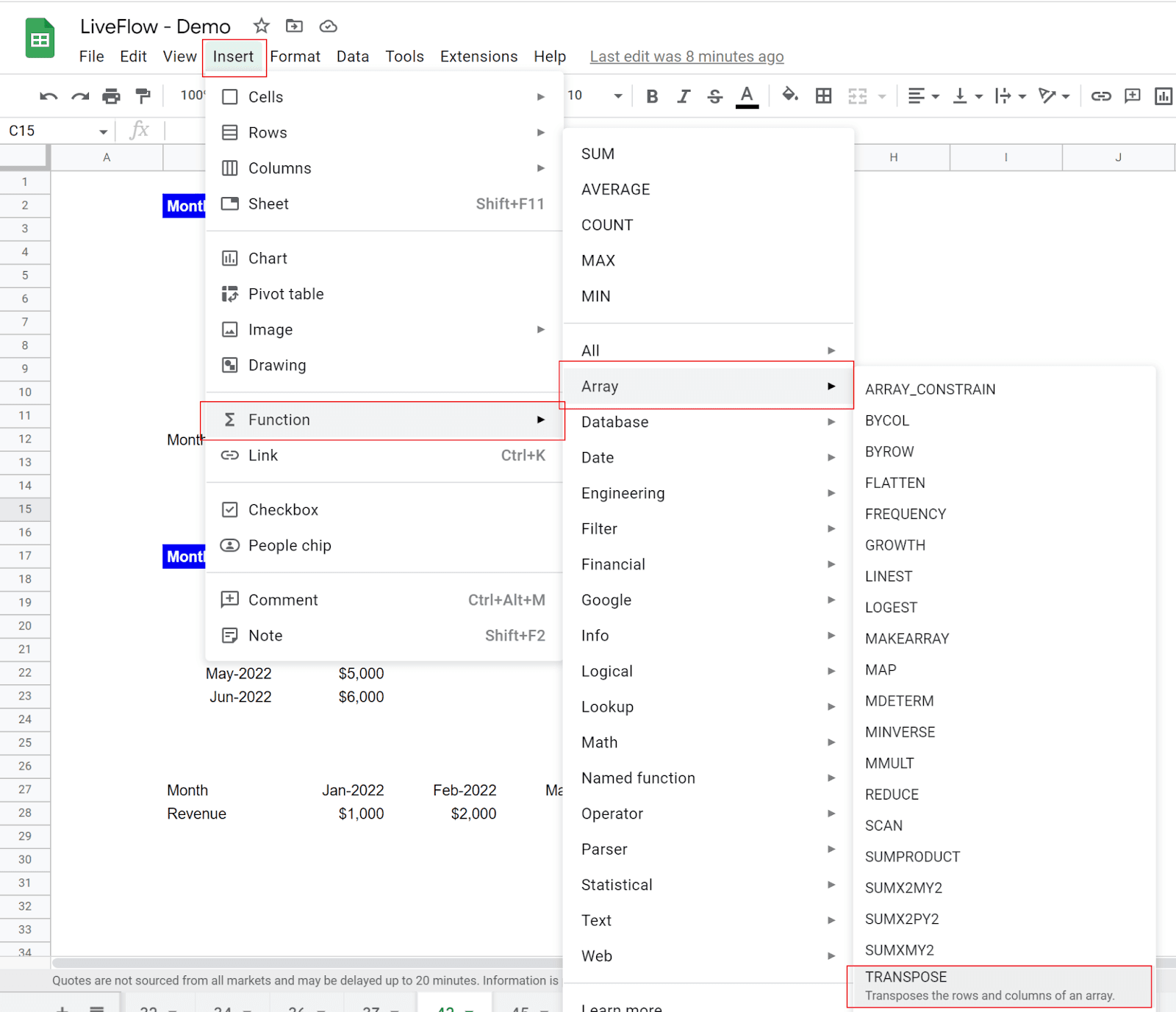
The generic formula is as follows:
Array_or_range: This should be a range or an array whose rows and/or columns are going to be swapped.
The TRANSPOSE function is helpful when you want to change a vertical data set to a horizontal data set or vice versa. Imagine you are a finance manager and have monthly revenue data vertically in Google Sheets. You want to spread this data horizontally. This is when you use the TRANSPOSE formula.
Example 1
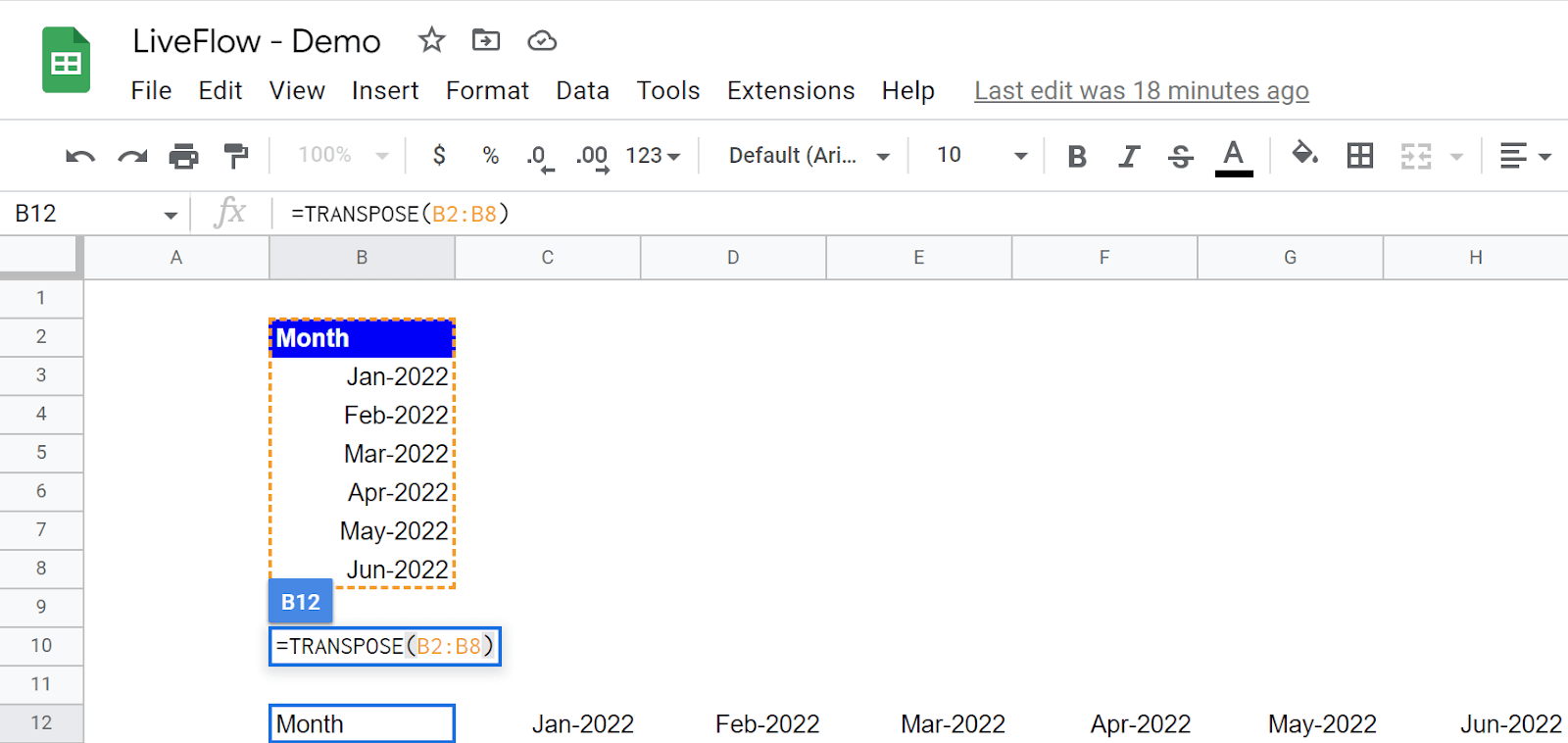
In the screenshot above, “array_or_range” is B2:B8, a part of column B. The TRANSPOSE formula automatically expands the transposed values horizontally from the cell where it is, B12, in this case.
Why spend hours creating spreadsheets, when we have already done the work for you?
100+ financial spreadsheet templates, all free and ready for you now.
Free Spreadsheet Templates
Example 2
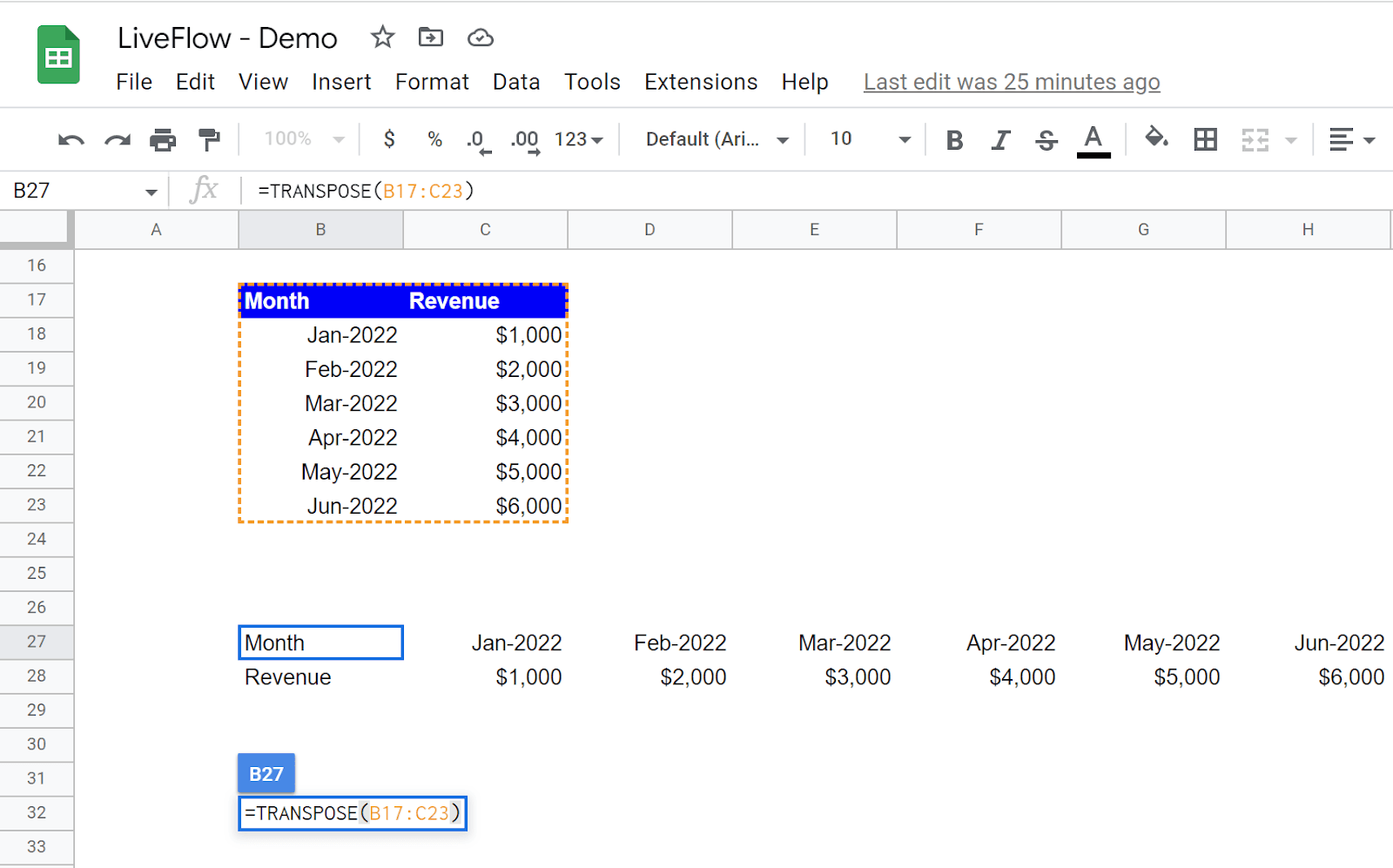
In the picture above, “array_or_range” is B17:C23, an array. The TRANSPOSE formula automatically expands the transposed values horizontally and vertically from the cell where it is, B27, in this case.
As you understand, the function spreads the values automatically; there must be enough blank cells for values to be transferred.
Why is transpose not working in Google Sheets?
There is not enough space for transposed values. For example, if you want to transpose values in ten cells in a row, you need to secure enough space for the formula to expand the values - ten cells in a column.
You select a wrong range (e.g., missing a cell at the end of the range to which you want to apply the TRANSPOSE function)
The world's top businesses trust LiveFlow to automate their financial reporting
We turn Quickbooks Online data into a live FP&A dashboard in Sheets FAST!
Book a Demo
Supercharge your financial reporting