Flow Agentic Accounting

LiveFlow FP&A

Industries

Resources

Flow Agentic Accounting

LiveFlow FP&A

Industries

Resources

Google Sheets Tips

How To Access Google Sheets Extensions

SHARE THIS Article

‍

Ever wondered how to improve your performance and pull data into your Google Sheets?

‍

Try out Google Sheets Extensions! Google Workspace Marketplace is full of useful extensions you can install to improve your productivity in your spreadsheet. 

‍

‍

Here’s a straightforward guide on how to install Google Sheets extensions.

‍

  • Open a new Google Sheet by typing "Sheet.new" in your Web Address Bar.

‍

  • Go to Extensions -> Add-ons -> Get Add-ons.

‍

  • Browse Google Workspace Marketplace and select an extension of your choice.

‍

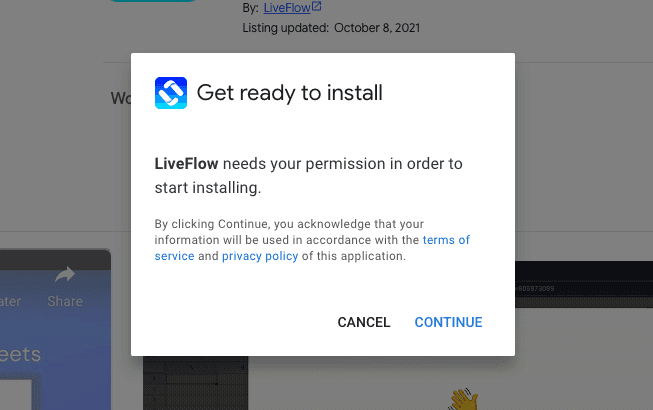
  • Click on Install to install the add-on to your Google Account.

‍

  • Give the permissions that the add-on needs to have.

‍

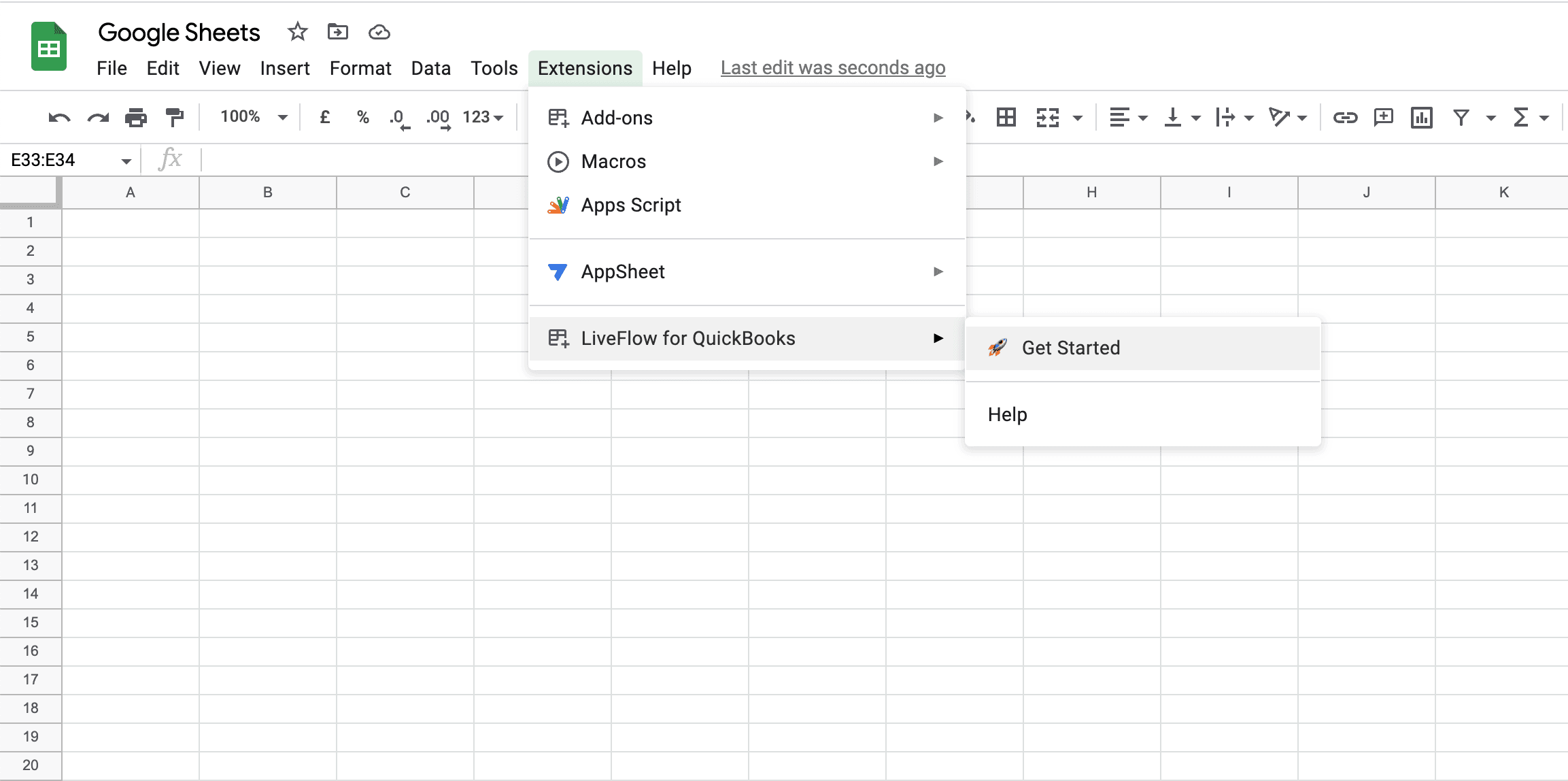
  • Go back to your Google Sheet -> Click on Extensions -> and click on the name of the add on you have just installed.

‍

   Save hours formatting your next financial spreadsheet!

   100+ templates, all free to use.

   Free Spreadsheet Templates

‍

‍

Check these steps with the screenshots below:

‍

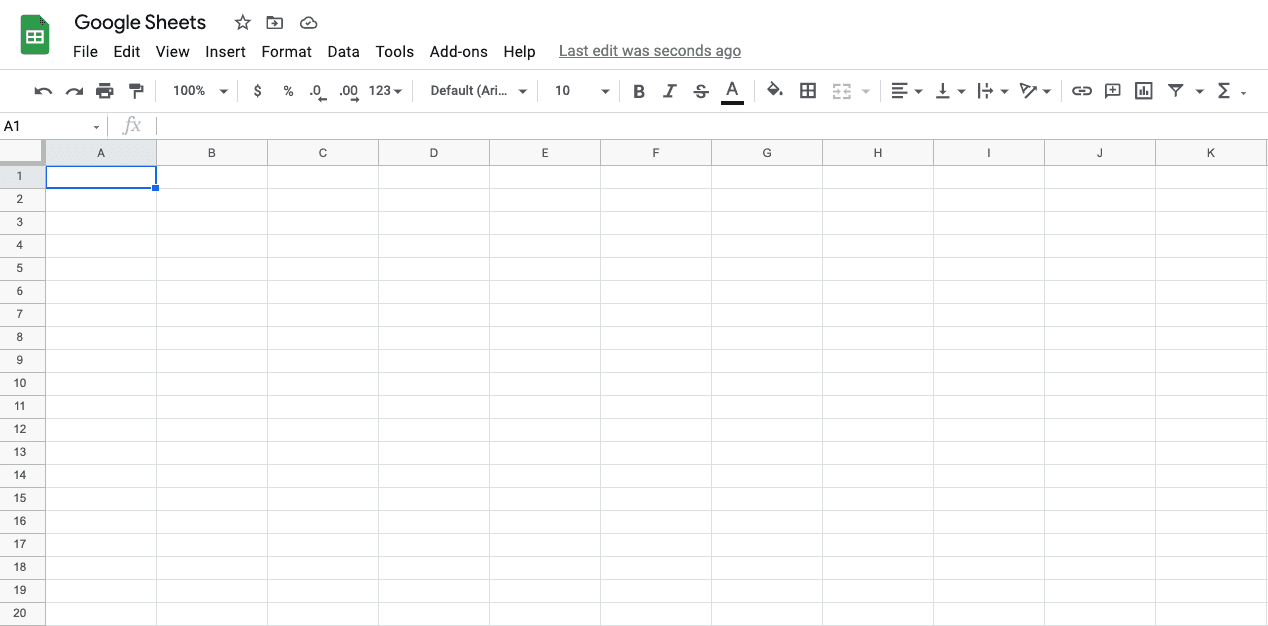
Step 1: Open a new Google Sheet. Just type "sheet.new" in your Web Address Bar or click here.
‍

How To Access Google

‍

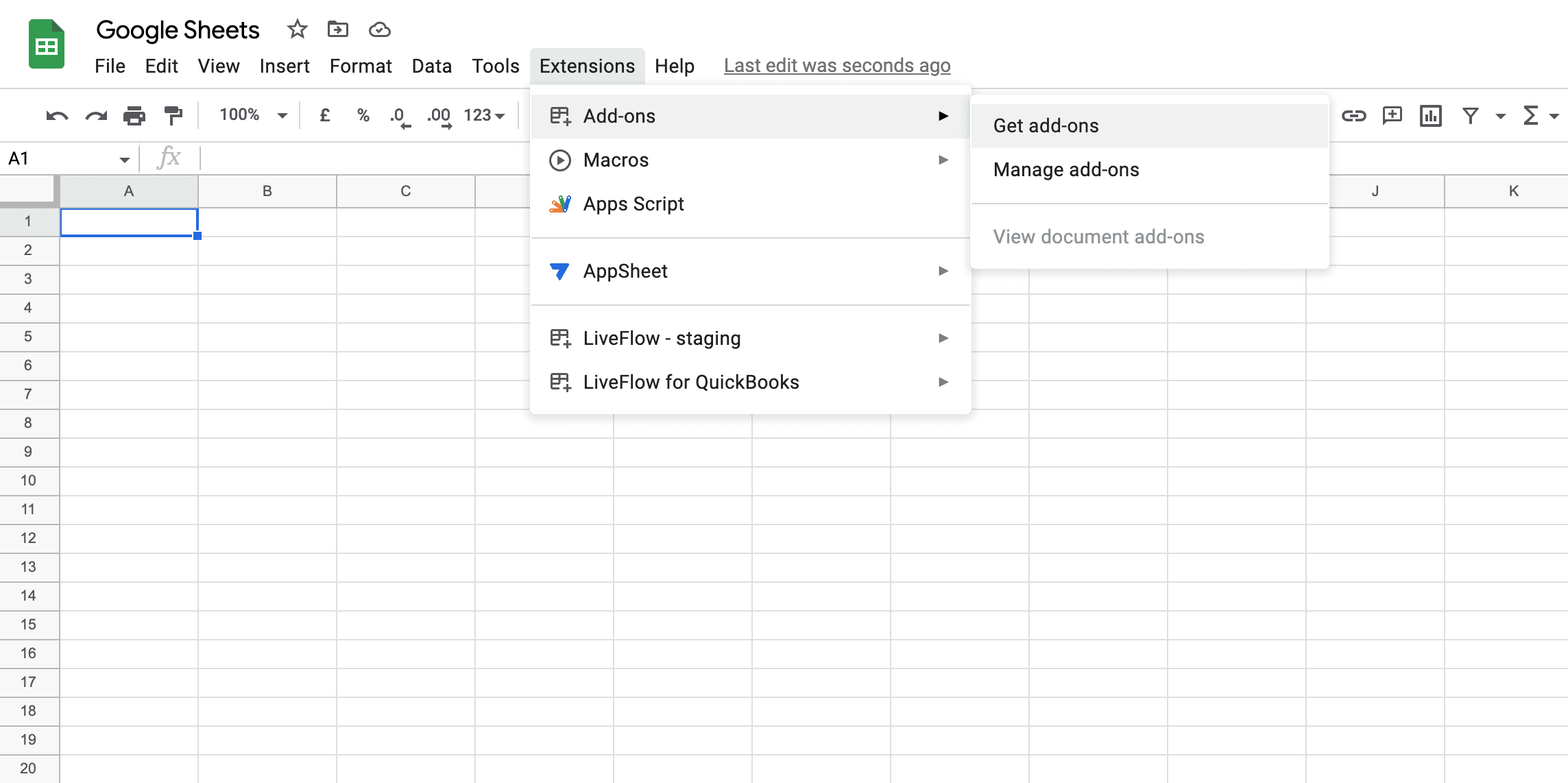
Step 2: Click on Extensions -> Add-ons -> Get add-ons.
‍

How To Access

‍

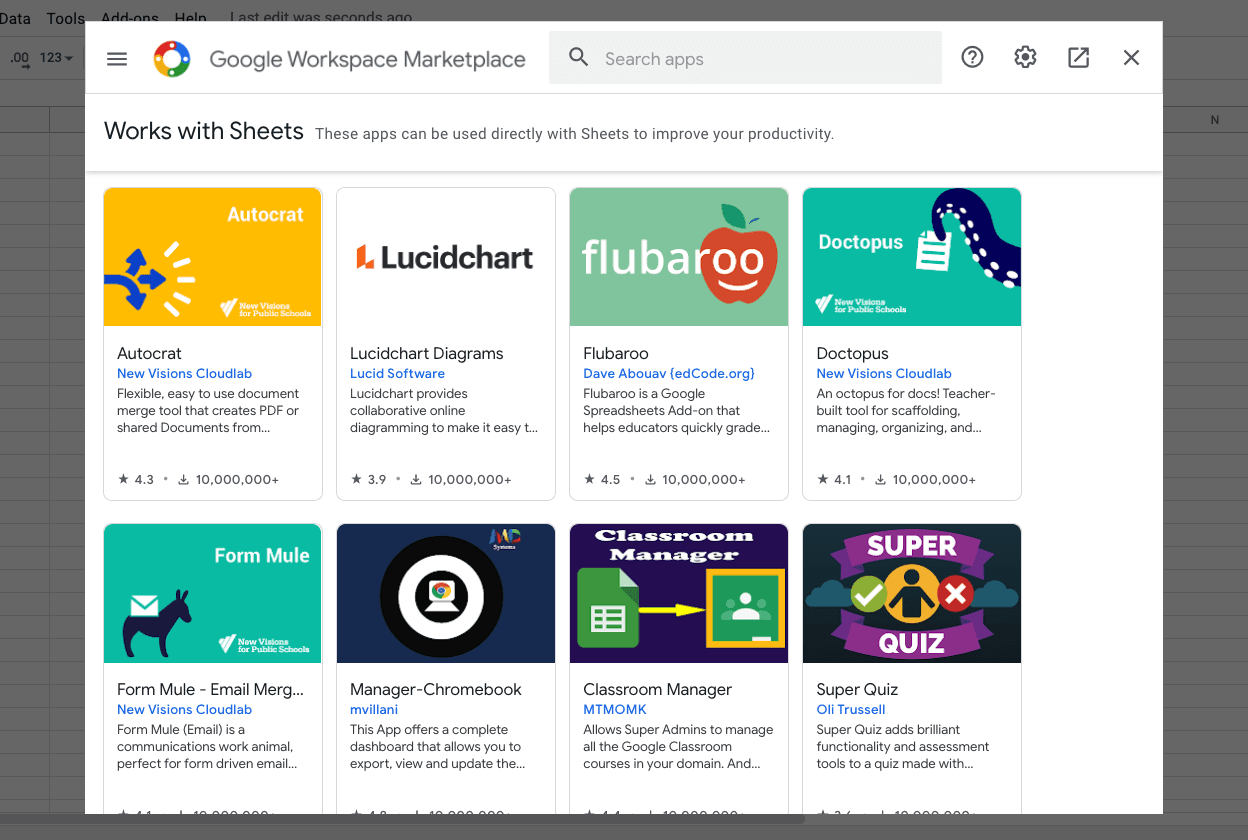
Step 3: Select an add-on of your choice from Google Workspace Marketplace.

‍

Need some inspiration for add-ons to automate financial reporting? Check out our post here.
‍

Sheets Extensions

‍

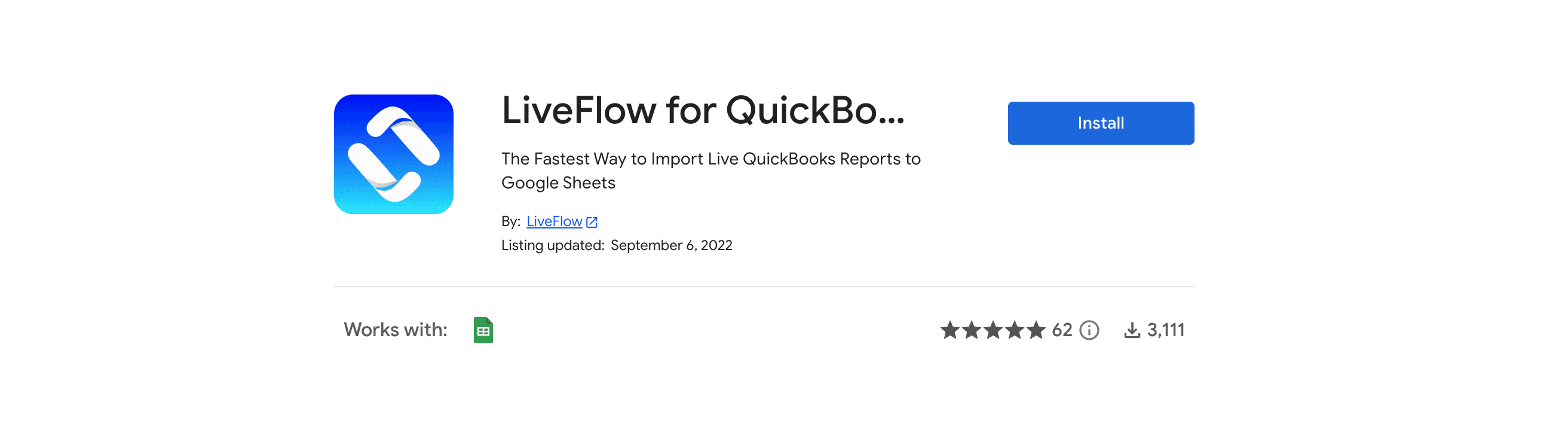
Step 4: Click on Install to install the add-on to your Google Account.
‍

How To Access

‍

‍

Step 5: Click Continue to provide permission to install.
‍

How To Access Google Sheets Extensions

‍

‍

Step 6: Head back to your Google Sheet -> Click on Extensions -> and then click on the name of the add-on you just installed such as LiveFlow for QuickBooks.
‍

How To Access

‍

Voila! You've done it! 🎉

‍

   Turn Quickbooks Online data into a Google Sheets dashboard

    100+ templates, update automatically, totally secure!

   Book a Demo

Supercharge your financial reporting

LiveFlow is an agent of Plaid Financial Ltd. (Company Number: 11103959, Firm Reference Number: 804718), an authorized payment institution regulated by the Financial Conduct Authority under the Payment Services Regulations 2017. Plaid provides you with regulated account information services through LiveFlow as its agent.

© LiveFlow. All rights reserved.

LiveFlow is an agent of Plaid Financial Ltd. (Company Number: 11103959, Firm Reference Number: 804718), an authorized payment institution regulated by the Financial Conduct Authority under the Payment Services Regulations 2017. Plaid provides you with regulated account information services through LiveFlow as its agent.

© LiveFlow. All rights reserved.

LiveFlow is an agent of Plaid Financial Ltd. (Company Number: 11103959, Firm Reference Number: 804718), an authorized payment institution regulated by the Financial Conduct Authority under the Payment Services Regulations 2017. Plaid provides you with regulated account information services through LiveFlow as its agent.

© LiveFlow. All rights reserved.

LiveFlow is an agent of Plaid Financial Ltd. (Company Number: 11103959, Firm Reference Number: 804718), an authorized payment institution regulated by the Financial Conduct Authority under the Payment Services Regulations 2017. Plaid provides you with regulated account information services through LiveFlow as its agent.

© LiveFlow. All rights reserved.