Reports

How to copy a Google Sheet into an existing Google Sheet

SHARE THIS Article


  1. Open the Google Sheet that has the tab you want to copy into the another sheet

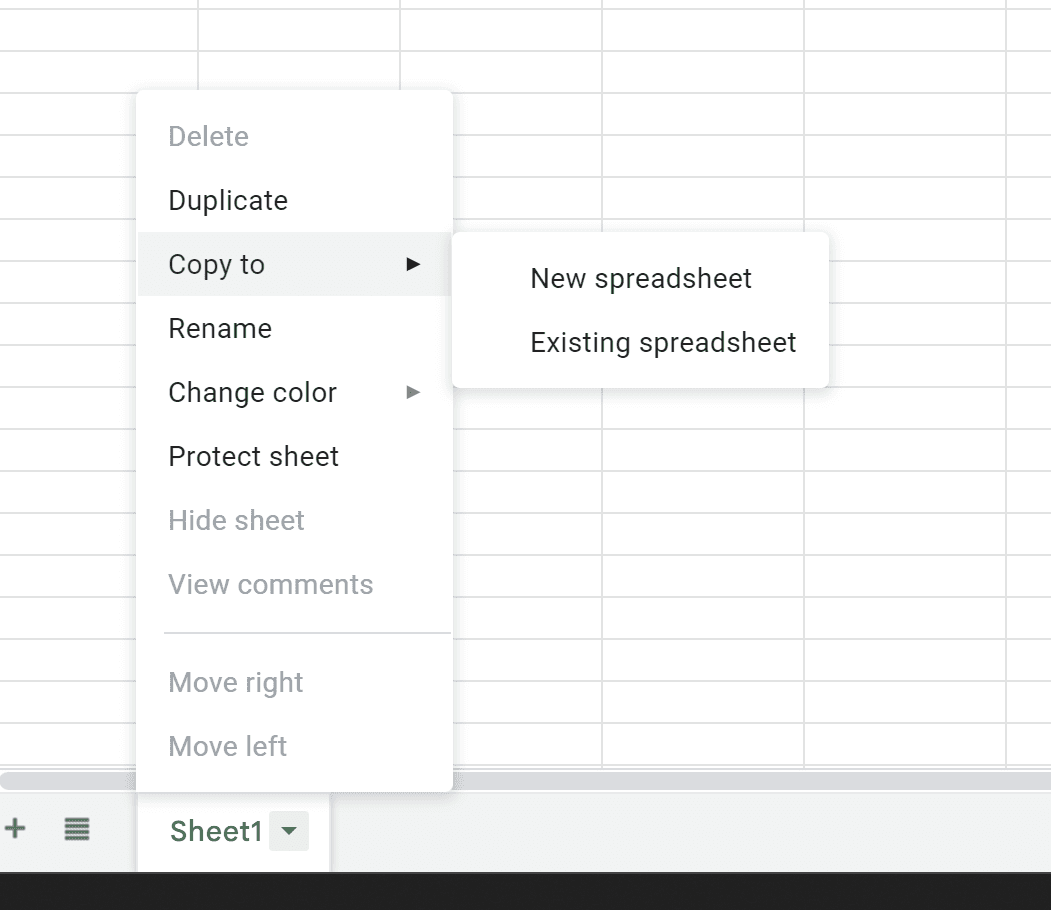
  2. Right click the tab you want to copy

  3. Choose Copy to > Existing Spreadsheet

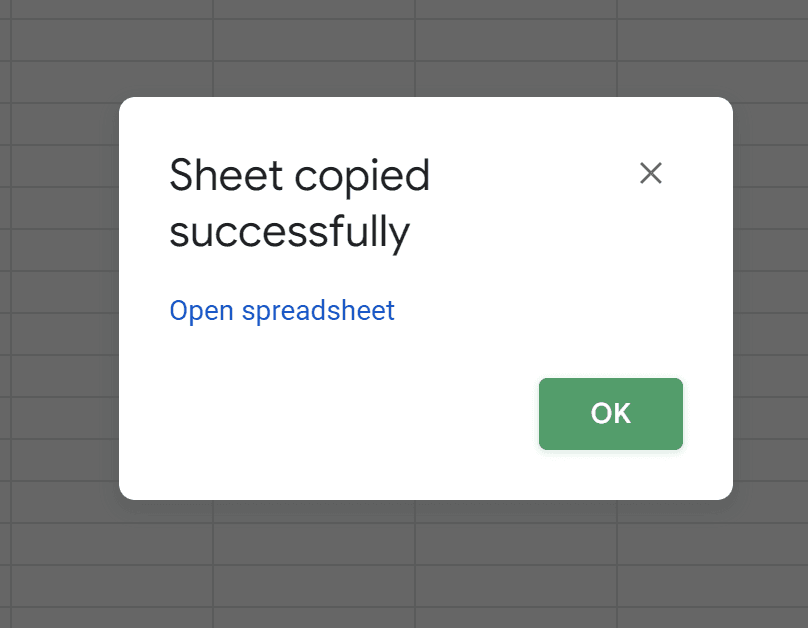
  4. Select another google sheet file from the respective folder or Paste the URL into the bottom of the window that appears and then select

  5. Rename the tab in the another Google Sheet where it was copied if required.
   Why spend hours creating spreadsheets, when we have already done the work for you?

   100+ financial spreadsheet templates, all free and ready for you now.

   Free Spreadsheet Templates

   The world's top businesses trust LiveFlow to automate their financial reporting

   We turn Quickbooks Online data into a live FP&A dashboard in Sheets FAST!

   Book a Demo

Supercharge your financial reporting

LiveFlow is an agent of Plaid Financial Ltd. (Company Number: 11103959, Firm Reference Number: 804718), an authorised payment institution regulated by the Financial Conduct Authority under the Payment Services Regulations 2017. Plaid provides you with regulated account information services through LiveFlow as its agent.

© LiveFlow. All rights reserved.

LiveFlow is an agent of Plaid Financial Ltd. (Company Number: 11103959, Firm Reference Number: 804718), an authorised payment institution regulated by the Financial Conduct Authority under the Payment Services Regulations 2017. Plaid provides you with regulated account information services through LiveFlow as its agent.

© LiveFlow. All rights reserved.

LiveFlow is an agent of Plaid Financial Ltd. (Company Number: 11103959, Firm Reference Number: 804718), an authorised payment institution regulated by the Financial Conduct Authority under the Payment Services Regulations 2017. Plaid provides you with regulated account information services through LiveFlow as its agent.

© LiveFlow. All rights reserved.

LiveFlow is an agent of Plaid Financial Ltd. (Company Number: 11103959, Firm Reference Number: 804718), an authorised payment institution regulated by the Financial Conduct Authority under the Payment Services Regulations 2017. Plaid provides you with regulated account information services through LiveFlow as its agent.

© LiveFlow. All rights reserved.