
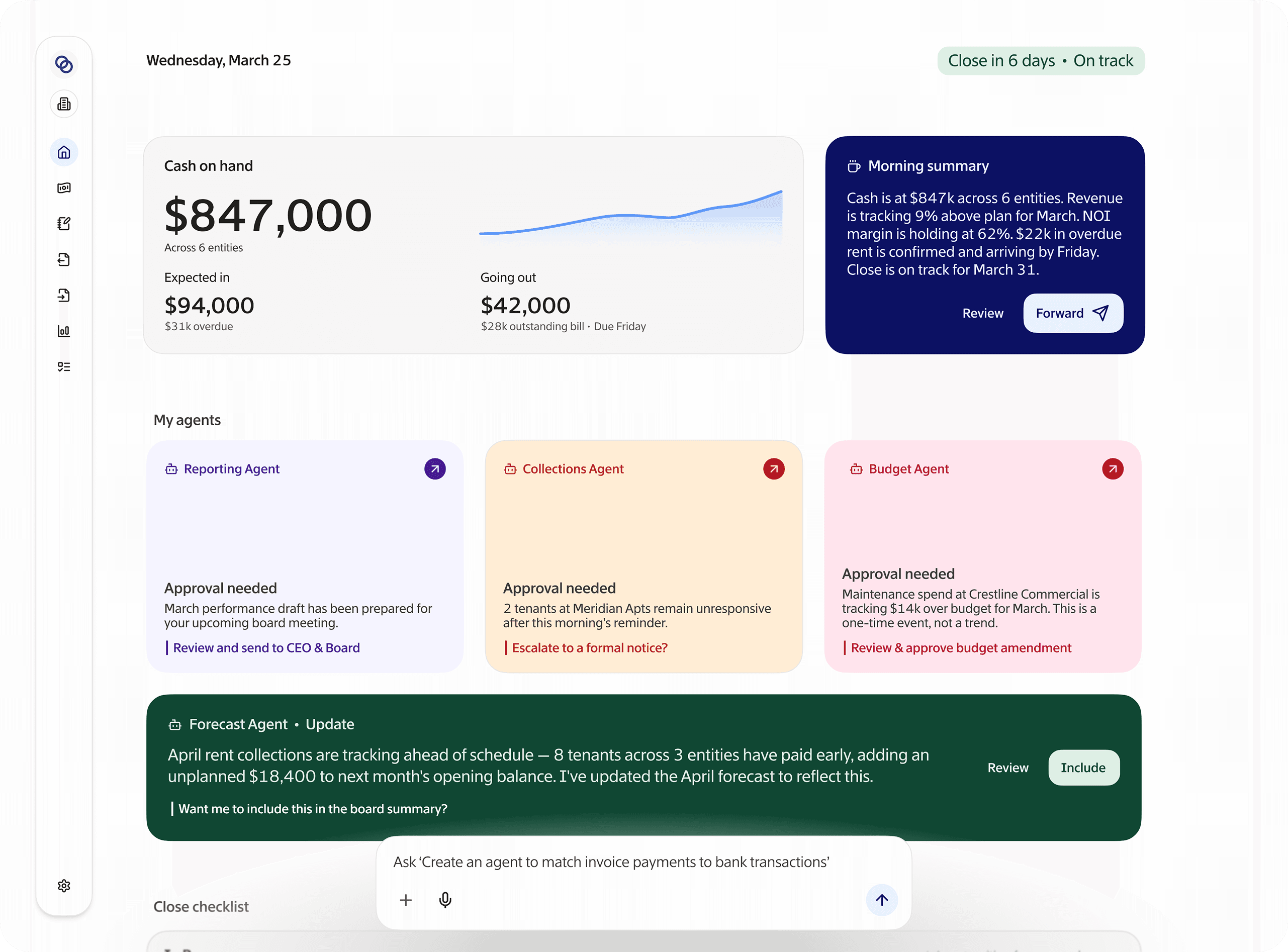





Built for finance teams managing more than one entity
Flow was built for businesses that outgrew their accounting software before they realized it.



CFOs
Real-time numbers, without waiting on close.
Stop logging transactions by hand
Automatic transaction categorization
Your team spends hours each month categorizing transactions, creating opportunities for inconsistencies and audit risk. Flow observes your chart of accounts, suggests categorizations for transactions, and lets you set rules that run automatically. Your team reviews exceptions, not everything.
AI suggests account codes for transactions
Set rules once and Flow categorizes them automatically
Full audit trail of every categorization decision, reviewable at any time
Team only reviews exceptions, instead of hundreds of routine line items


Stop reconciling line by line
Reconciliation that takes minutes
Manual reconciliation is one of the most time-consuming and error-prone parts of close. Flow automatically matches your bank statements against your books, flags mismatches, suggests corrections, and generates audit-ready documentation. What used to take days now takes hours.
Automatic bank statement matching means no manual line-by-line review
Mismatch detection with suggested fixes and clear explanations
Audit-ready documentation generated automatically
Stop running close from spreadsheets & Slack
Month-end close without chaos
Most finance teams run their close from a combination of spreadsheets, email threads, and notepads. Flow gives your team a live close checklist tied directly to your actual financial data — so every task and its status is visible in real time.
Live checklist tied to financial data
Tasks organized by entity, so nothing gets missed
Each step is tracked, documented, and accountable
Every team member knows what’s complete and what’s blocked


Get up and running in less than a day
01
Connect
Link your QuickBooks accounts, bank accounts, and existing tools in minutes. No rip-and-replace. No IT project.
02
Learn
Flow maps your chart of accounts and starts suggesting categorization rules immediately based on your transaction history.
03
Automate
Set your rules once. Flow handles routine transactions automatically from day one — and gets smarter over time.


Flow was built for businesses that outgrew their accounting software before they realized it. Here are a few more ways it helps construction finance teams work better.











FAQ's
How long does it take for the AI agents to learn my chart of accounts?
Flow starts suggesting categorizations from day one based on your existing data. Most teams find the AI is accurately handling the majority of transactions within the first close cycle — and gets sharper from there as you approve suggestions and set rules.
Do I still have to review everything the AI does, or can it run fully on autopilot?
Both. For routine, repeatable transactions you can set rules and let Flow handle them automatically. For anything unusual or ambiguous, Flow surfaces it for your review with a suggested match — so you stay in control without doing the grunt work.
Will this work with my existing accounting setup, or do I have to change how we operate?
Flow is built to fit around your close process, not replace it. Your chart of accounts, entity structure, and workflows stay intact. The AI agents handle the manual steps inside that process — categorization, matching, reconciliation — so your team does less, not differently.
How does the AR agent actually follow up on invoices, what does it send and to who?
The AR agent identifies outstanding invoices and follows up with the relevant contacts based on your data. You stay in control of the tone and cadence. It's less "robot emailing your clients" and more "never letting an invoice fall through the cracks again."
Is the data my AI agents work with secure and audit-ready?
Yes. Every action the agents take is logged and traceable, so when an auditor asks why a transaction was categorized a certain way, you have a clear answer. Flow is SOC 2 compliant and built with audit documentation as a first-class requirement, not an afterthought.